
Start Here
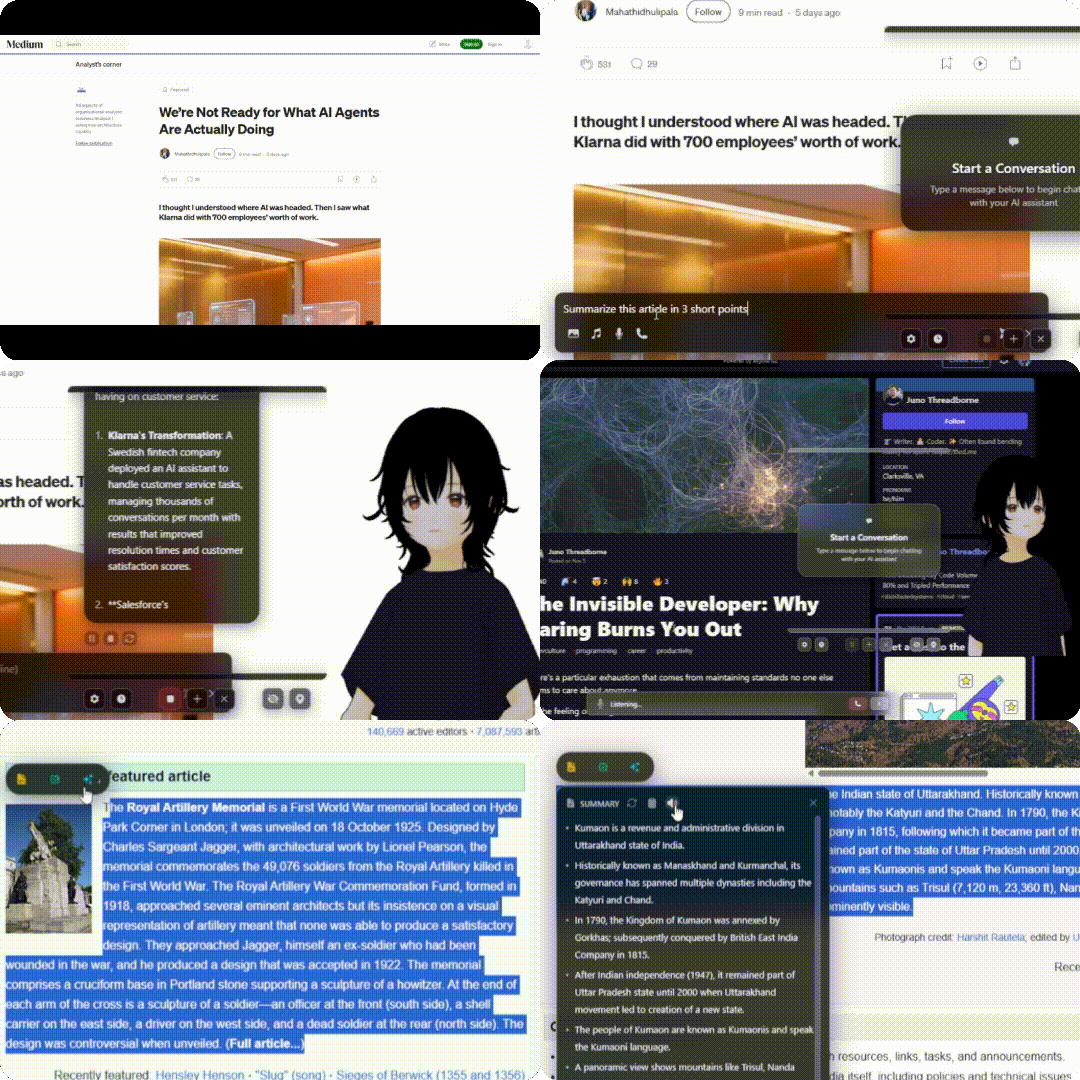
VAssist is an AI assistant that runs on desktop, Android, as a browser extension, and as a standalone web app, with experimental XR support. It has three main parts: a full chat window, on-page tools that appear when you select text or focus an input, and an animated 3D Live Assistant that stays visible while you work.
Haven't tried it yet?
The live demo runs in your browser with no install needed.
Where do you want to start?
Install VAssist
Download links and install steps for desktop (Windows/macOS/Linux), Android, and the Chrome extension.
Installation guide →
First-run setup
The setup wizard runs on first launch. It connects your AI provider, voice input, voice output, and picks a Live Assistant mode.
Setup guide →
Using VAssist
Once setup is done: chat, toolbar, voice, the Live Assistant, and everything in between.
Usage guides →
Use VAssist As A Package
The @vassist/react and @vassist/embed packages are Bun workspaces and are not published on npm yet. They include the shared browser runtime, host configuration, and provider bridges.
Integration docs →
If you are embedding VAssist, start with Package integration. That page covers the decisions you usually need first: package choice, shell entry point, provider ownership, request execution, and host control surfaces.
XR
Use your avatar, stages, chat, and floating controls in VR. Use it in a browser or pair with the desktop app to access your conversations and AI providers. See XR setup and controls.
The three main features
Full chat
The chat window is where longer conversations happen. You can attach images and audio, use voice mode for back-and-forth spoken conversation, browse saved chats, and branch off alternate replies from any message.
- Chat and voice: typed chat, attachments, voice mode, message actions
- Saved chats and branches: history, search, rename, branched replies
- Camera and screen share: desktop capture alongside chat
On-page tools (AI toolbar)
Select text on any page and a small toolbar appears next to it. Rewrite, summarize, translate, look up a word, or dictate into a focused input field, all without opening the full chat. Works on selected text, focused inputs, and hovered images.
Live Assistant
A 3D animated assistant that stays visible while you work. It reacts during chat, lip-syncs during voice playback, and you can swap models, stages, and motions. On Android it can run as a live wallpaper.
- Live Assistant: the floating avatar, controls, chat bubble
- Avatar, motions, and emotes: importing MMD models, VMD motions, emote libraries
Looking for something specific?
- Settings reference: every toggle and picker, tab by tab
- Platform differences: what's different on desktop vs Android vs extension
- Package integration: React and browser package docs, secure host bridge transport, runtime control APIs, and embedding guides
- Technical reference: how VAssist is built, what engines it uses, where things live in the repo